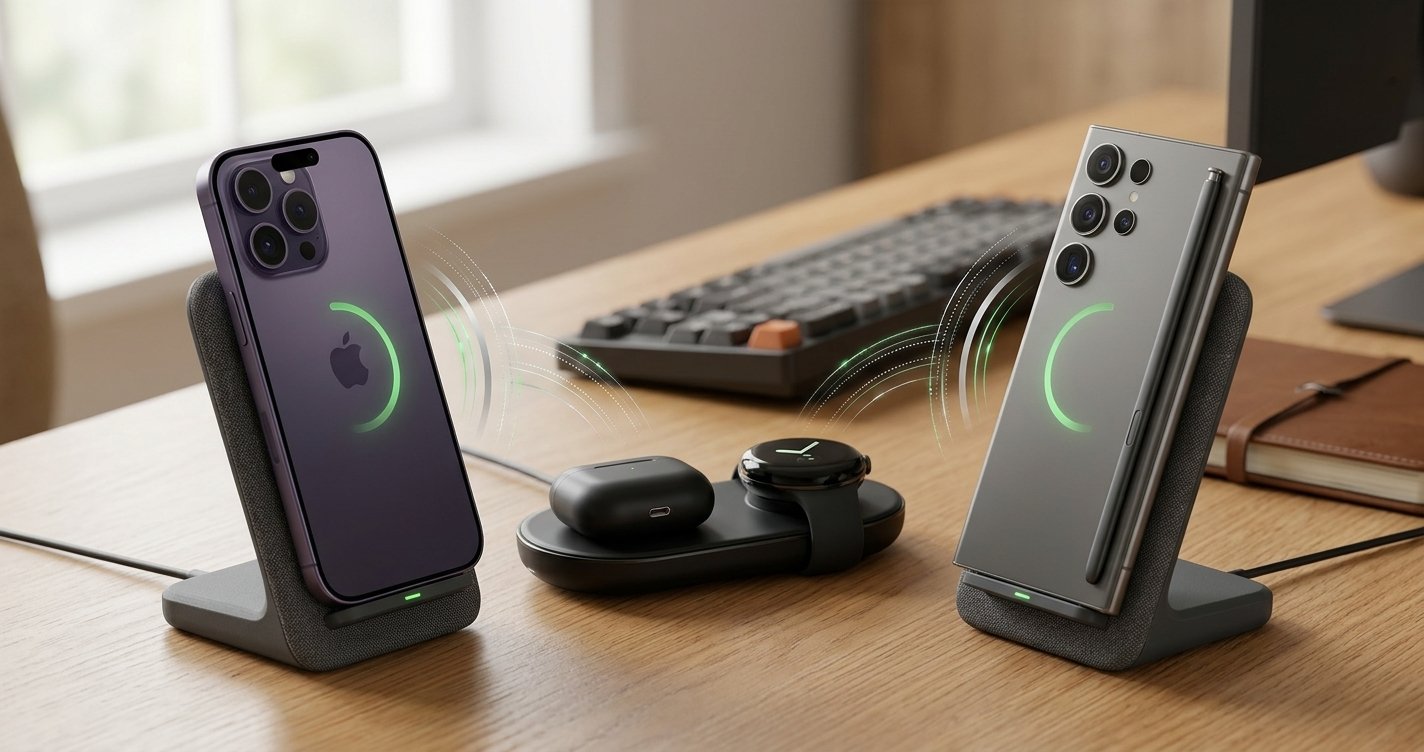
Quick answer: The best wireless charger for you depends on your phone and habits. If you want speed and simplicity, look for a Qi2-certified charger with at least 15W output for iPhone or Android fast-charging support. Multi-device pads are worth it if you own an iPhone, Android phone, and earbuds. Budget pads work fine for daily charging, but skip them if you need speed.
Charging cables are annoying. They fray, they tangle, they vanish into couch cushions right when you need them most. That’s probably why wireless charging has become the default way so many of us power up our phones.
But here’s the thing: not all wireless chargers are created equal. Some charge painfully slowly. Some overheat your phone. Some just stop working with certain cases. Before you buy one, it helps to know what you’re actually looking for.
This guide breaks down everything you need to know about wireless chargers in 2026, whether you’re using an iPhone, an Android phone, or juggling both.
What You Need to Know Before Buying a Wireless Charger
Wireless charging works through something called electromagnetic induction. Basically, your charger creates a magnetic field, and your phone’s internal coil turns that field into power. No cables required.
The catch? Your phone and charger need to speak the same “language.” That’s where charging standards come in, and it’s the first thing you should understand before spending your money.
Types of Wireless Chargers Explained
Single-Device Chargers vs. Multi-Device Charging Pads
A single-device charger does exactly what it sounds like. You place your phone on it, and that’s it. These are usually cheaper and more compact.
Multi-device pads let you charge your phone, earbuds, and smartwatch all at once. Great if your nightstand looks like a tech graveyard. Not so great if you just want something simple and small.
Ask yourself: are you charging one device or three? That answer alone narrows your options significantly.
Fast-Charging Options and What They Mean for Your Phone
Fast charging isn’t just marketing fluff. A higher wattage charger genuinely gets your phone to full battery quicker.
But your phone has a maximum wireless charging speed built in. Pairing a 30W charger with a phone that only supports 15W wireless charging won’t make it charge faster. It’ll just charge at 15W, same as a cheaper pad.
Before you buy, check your phone’s maximum wireless charging speed. Then buy a charger that matches or exceeds it. No higher, no lower.
Difference Between Qi Standard Chargers and Newer Technologies
Qi (pronounced “chee”) has been the universal wireless charging standard for years. Nearly every modern phone supports it, which is why it became the default.
Qi2 is the newer version, and it’s a meaningful upgrade. It adds magnetic alignment, similar to Apple’s MagSafe, so your phone snaps into the perfect charging position every time. That might sound minor, but misalignment is one of the biggest reasons wireless chargers charge slowly or not at all.
If your phone supports Qi2, buying a Qi2 charger is worth it for the alignment benefits alone.
Top Wireless Chargers for iPhone in 2026
Best Overall Pick
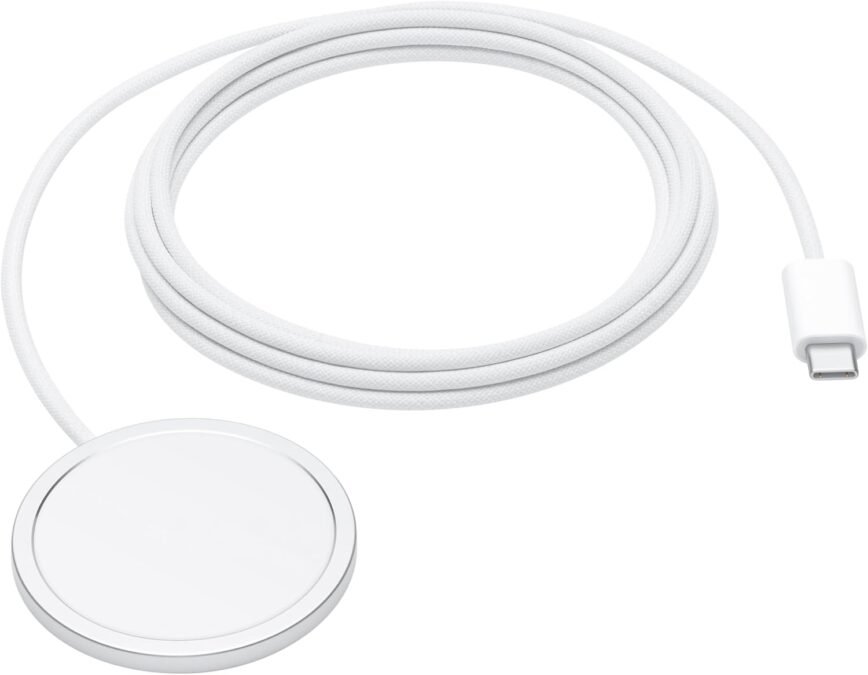
For most iPhone users, a MagSafe-compatible charger hits the sweet spot. The magnetic snap means you never have to fuss with alignment, and charging speeds are reliable.
We recommend: MagSafe-Compatible Chargers
🟢 What We Like (Pros)
- Perfect Snap Alignment: Heavy-duty internal magnets automatically pull your phone into the exact sweet spot every single time. This completely eliminates the issue of waking up to a dead phone caused by a misplaced device sliding off the internal coils.
- Upgraded 15W to 25W Speeds: Bypasses the slow, standard 7.5W Qi limitation. This hardware configuration unlocks a much faster 15W threshold on older models, and peaks up to 25W on newer devices when paired with a matching high-output adapter.
- Ecosystem Versatility: The magnetic ring serves a dual purpose beyond charging, allowing you to seamlessly slap on modular accessories like snap-on wallets, desktop rings, and dashboard car mounts.
🔴 What to Consider (Cons)
- The “MagSafe Tax”: Accessories built with premium magnetic arrays carry a noticeably higher price tag compared to generic, flat Qi pads.
- Thermal Energy Loss: Because wireless inductive charging naturally releases excess energy as heat, these chargers run warmer and can cause the system to throttle charging speeds temporarily to safeguard long-term battery health.
Budget-Friendly Options That Actually Work
You don’t need to spend a fortune to get decent wireless charging. Plenty of Qi-certified pads under $20 charge iPhones reliably, just without the magnetic snap.
The tradeoff is you’ll need to manually center your phone on the pad, or you risk slow or interrupted charging.
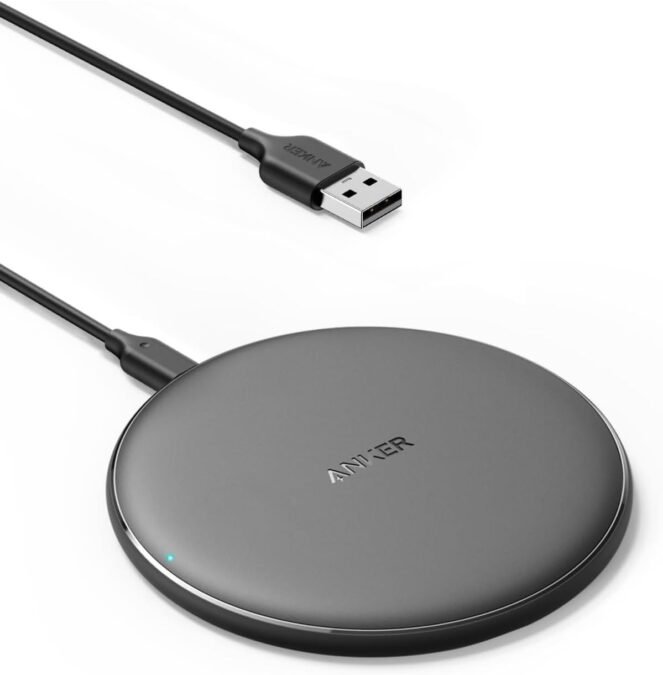
If you want an affordable setup, the Anker 313 Stand is an excellent choice under $20.
🟢 What We Like (Pros)
- Reliable Through-Case Charging: Transmits power directly through thick protective smartphone cases up to 5mm, eliminating the need to take your phone case off every time you charge.
- Broad Universal Compatibility: Features automated power matching that delivers a optimized 10W charge for Samsung Galaxy devices, 7.5W for iPhones, and 5W for wireless earbuds like AirPods.
- Streamlined Desktop Footprint: Designed as a flat, highly portable pad that takes up minimal space on a desk or nightstand while keeping your earbuds and phone completely cord-free.
🔴 What to Consider (Cons)
- Dated Micro-USB Connector: Utilizes an older Micro-USB port and input cable instead of the modern, universal USB-C standard used by most 2026 devices.
- No Magnetic Alignment or Wall Box: Lacks MagSafe magnetic connection components, requiring manual alignment on the center coil, and completely excludes a wall adapter brick from the retail packaging.
Premium Models Worth the Investment
If you want a charging station that handles your iPhone, AirPods, and Apple Watch together, premium multi-device stands are worth considering. They cost more upfront but eliminate charger clutter entirely.
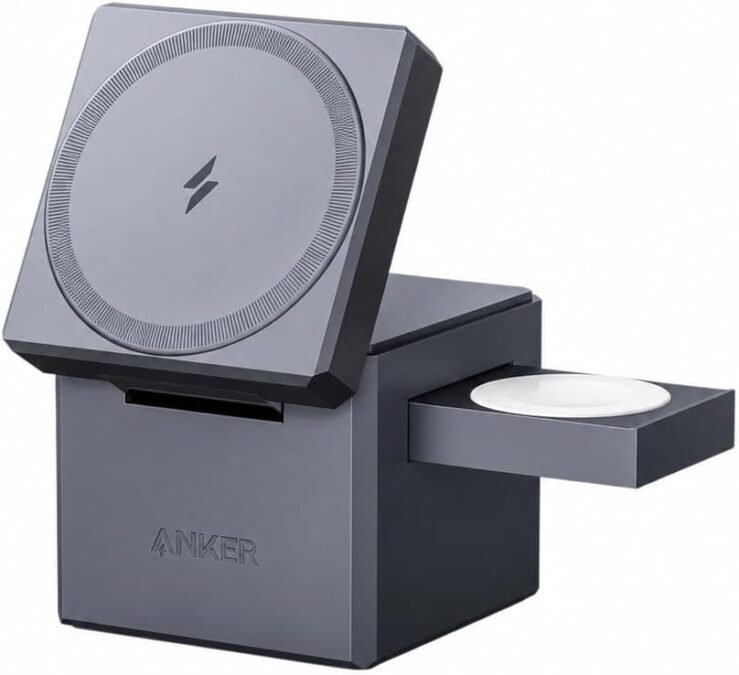
Our Pick: Anker MagGo 3-in-1 Charging Cube (Qi2)
🟢 What We Like (Pros)
- Full 15W Qi2 Wireless Speeds: Uses official Qi2 technology to deliver fast, secure 15W magnetic charging for iPhone 12 and newer models, completely matching Apple’s first-party performance.
- Complete All-in-One Kit: Comes fully equipped with the ultra-compact charging cube, a high-output 40W USB-C PD wall charger brick, and a matching USB-C power cable right out of the box.
- Ultra-Compact Folding Cube Design: Features a tiny 2.4-inch footprint that easily folds up for travel while expanding at home to hold your iPhone at the perfect viewing angle for bedside StandBy mode.
🔴 What to Consider (Cons)
- Locked to Apple Accessories: While the main magnetic pad works with Qi2 phones, the secondary charging arms are physically molded specifically for the Apple Watch and AirPods, making it less useful for mixed Android households.
- Thick Case Limitations: Requires a dedicated MagSafe case or a very thin standard case under 2.5mm to maintain a secure magnetic hold, which is a tighter limit than standard Qi pads.
Best Wireless Chargers for Android Devices
Chargers That Work Across Different Android Brands
Android charging is a bit more fragmented than Apple’s ecosystem since different brands use different fast-charging technologies. The safest bet is a charger that supports the standard Qi protocol, which works broadly across Samsung, Google, and other major Android brands.
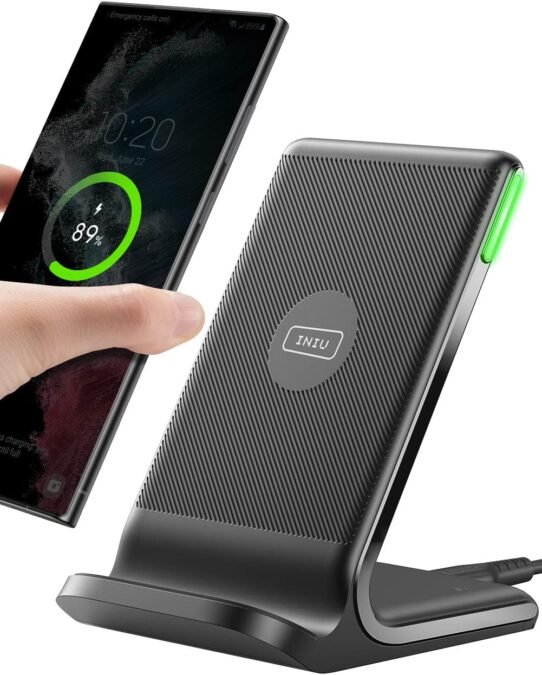
We reccommend INIU 15W Fast Wireless Charger Stand
🟢 What We Like (Pros)
- Official 15W Qi2 Speeds: Delivers full-speed 15W wireless charging to your iPhone, matching the speed performance of official Apple MagSafe components.
- Ultra-Compact Travel Design: The watch module and main phone stand fold completely flat into a pocket-sized footprint, eliminating bulky packing clutter.
- All-in-One Power Package: Comes fully bundled with its own matching high-output wall brick and a durable USB-C power cable. [1]
🔴 What to Consider (Cons)
- Premium Price Tag: It requires a steep upfront investment compared to standalone chargers or generic multi-device pads.
- Strict Case Limitations: The magnetic array requires a dedicated MagSafe-compatible case or a completely bare phone to mount securely.
Fast-Charging Solutions for Android Phones
Some Android manufacturers offer proprietary fast wireless charging that outpaces standard Qi speeds, but only when paired with their own branded chargers. If raw speed matters most to you, check whether your phone brand sells its own charger, as it may outperform third-party options.
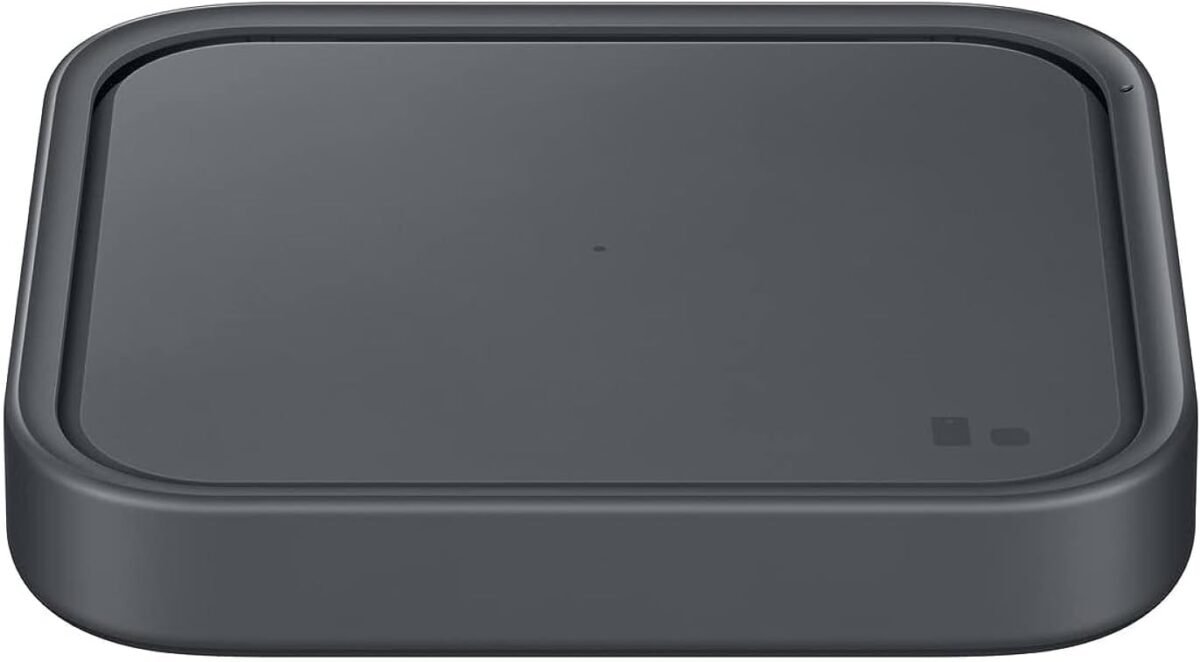
Our Pick: Samsung 15W Super Fast Wireless Charger Pad (2022)
🟢 What We Like (Pros)
- Maximized Galaxy Speeds: Unlocks true 15W “Super Fast Wireless Charging” exclusively on compatible Samsung Galaxy phones.
- Active Cooling Fan: Features a built-in silent direct cooling system that prevents thermal throttling and protects phone battery health.
- Dimmable LED Control: The multi-colored status light can be customized or completely dimmed directly through your Galaxy phone settings so it will not disrupt sleep.
🔴 What to Consider (Cons)
- Slower on Other Brands: Restricts non-Samsung devices (like iPhones) to standard 7.5W wireless speeds.
- Flat Alignment Sensitivity: Lacks a raised stand or magnetic lock, meaning you must center your device precisely over the internal coil to avoid interrupted charging
Multi-Device Chargers for Households With Mixed Devices
Got an iPhone user and an Android user under one roof? Universal multi-device pads that support Qi charging for both platforms are your best bet. Just don’t expect proprietary fast-charging speeds unless the pad specifically supports your phone’s brand.
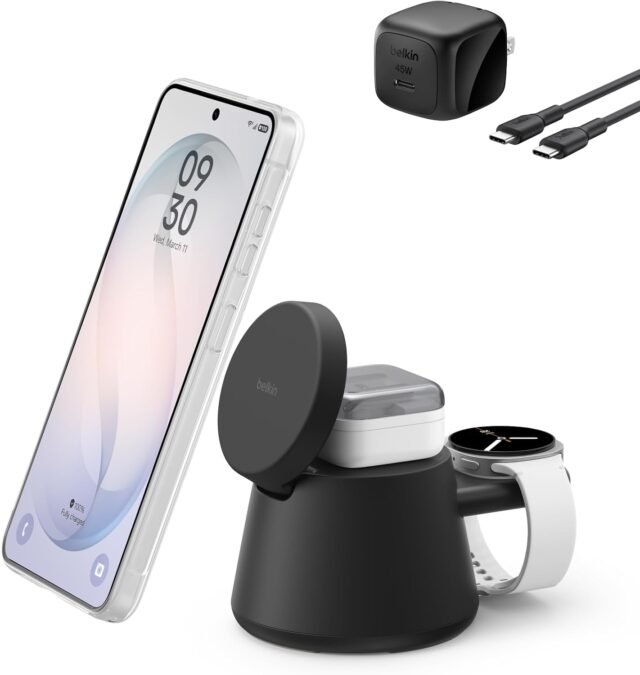
Our Pick: Belkin BoostCharge Pro 3-in-1 Magnetic Stand (Qi2)
🟢 What We Like (Pros)
- Cross-Platform Compatibility: Features the open-standard Qi2 magnetic profile, meaning it snaps magnetically and fast-charges both newer iPhones and Qi2-compatible Android devices at a full 15W.
- Sturdy One-Handed Use: Built with a heavy, premium weighted base and a rubberized soft-touch coating that keeps the stand firmly anchored to your desk or nightstand when you detach your phone.
- Versatile Viewing Angles: The main charging arm tilts up to 90 degrees, making it easy to twist your phone horizontally to watch videos or use Apple’s bedside StandBy mode while charging.
🔴 What to Consider (Cons)
- Brand-Exclusive Secondary Slots: While the main pad is universal, the dedicated secondary charging arms are physically molded to fit the Apple Watch, making them useless for households using Samsung or Pixel smartwatches.
- Dust-Prone Silicone Finish: The premium matte silicone material feels excellent out of the box but is a magnet for dust and pet hair, requiring frequent wiping down to stay clean
Key Features to Look For
Wattage and Charging Speed Explained Simply
Higher wattage generally means faster charging, but only up to your phone’s supported limit. Match the charger’s output to your phone’s max wireless charging speed, and you’re set.
Compatibility Issues to Avoid
Check three things before buying: your phone’s charging standard (Qi or Qi2), your case’s thickness (thick cases can block charging), and whether your case contains metal (it will interfere with the magnetic field).
Design and Portability Considerations
Think about where you’ll actually use the charger. A compact pad works for travel. A charging stand works better at a desk, since it lets you see notifications while charging.
Heat Management and Safety Features
Wireless charging naturally generates more heat than wired charging. Look for chargers with built-in temperature control and certified safety features, like over-current and short-circuit protection. Cheap, uncertified chargers are far more likely to overheat your phone over time.
Common Mistakes People Make
Buying incompatible chargers. Not every “wireless charger” works with every phone. Always double check your phone’s supported standard before buying.
Ignoring build quality to save money. The cheapest option on a marketplace search might save you five dollars now, but a poorly made charger can wear out your phone’s battery faster or simply stop working within months.
Not considering your phone’s specific needs. A flagship phone with fast wireless charging deserves a charger that can actually deliver that speed. Don’t pair premium hardware with a bargain-bin pad.
Final Recommendations Based on Your Needs
If you want speed and reliability: Choose a Qi2-certified charger that matches your phone’s maximum wireless charging wattage.
If you’re on a tight budget: A basic Qi-certified pad will charge your phone reliably, just without magnetic alignment or premium extras.
If you have multiple devices to charge: Invest in a multi-device charging station. It costs more upfront but saves you from buying (and losing) multiple separate chargers.
Why a Good Wireless Charger Is Worth the Investment
A good wireless charger isn’t a luxury, it’s a daily convenience that saves you time, protects your phone’s battery health, and clears the clutter off your nightstand.
The right choice comes down to three questions: What does your phone support? How many devices do you need to charge? And how much are you willing to spend for convenience?
Answer those honestly, and you’ll land on a charger that actually fits your life, not just your phone.
Frequently Asked Questions
Do I need a Qi2 charger, or will Qi still work fine?
Standard Qi chargers still work well and remain widely compatible. Qi2 adds magnetic alignment and improved efficiency, but it’s an upgrade, not a requirement, especially if your current setup charges reliably.
Will a faster charger damage my phone’s battery?
No, as long as the charger is certified and matches your phone’s supported wattage. Your phone automatically regulates how much power it accepts, so pairing it with a higher-wattage charger won’t overcharge or damage it.
Can I use my iPhone charger for my Android phone, or vice versa?
Yes, as long as both devices support the Qi standard, which most modern phones do. You just won’t get brand-specific fast-charging speeds unless the charger is made for that specific phone.
Are expensive wireless chargers actually worth the extra cost?
It depends on your priorities. Premium chargers typically offer better alignment, faster charging, and stronger safety features. If you charge your phone daily and want long-term reliability, the investment often pays off.
What’s the biggest mistake people make when buying a wireless charger?
Buying based on price alone without checking compatibility. A charger that doesn’t match your phone’s charging standard or wattage will underperform, no matter how cheap or expensive it is.